
C04 Dosing Target
Definition
Sets the totalizer to automatically reset when it reaches a specified value (unit: L). Range: 0.1–999,999,999. Default: 1000.
Dosing Function (Click to Expand)
1. Flow Meter Dosing Function Description
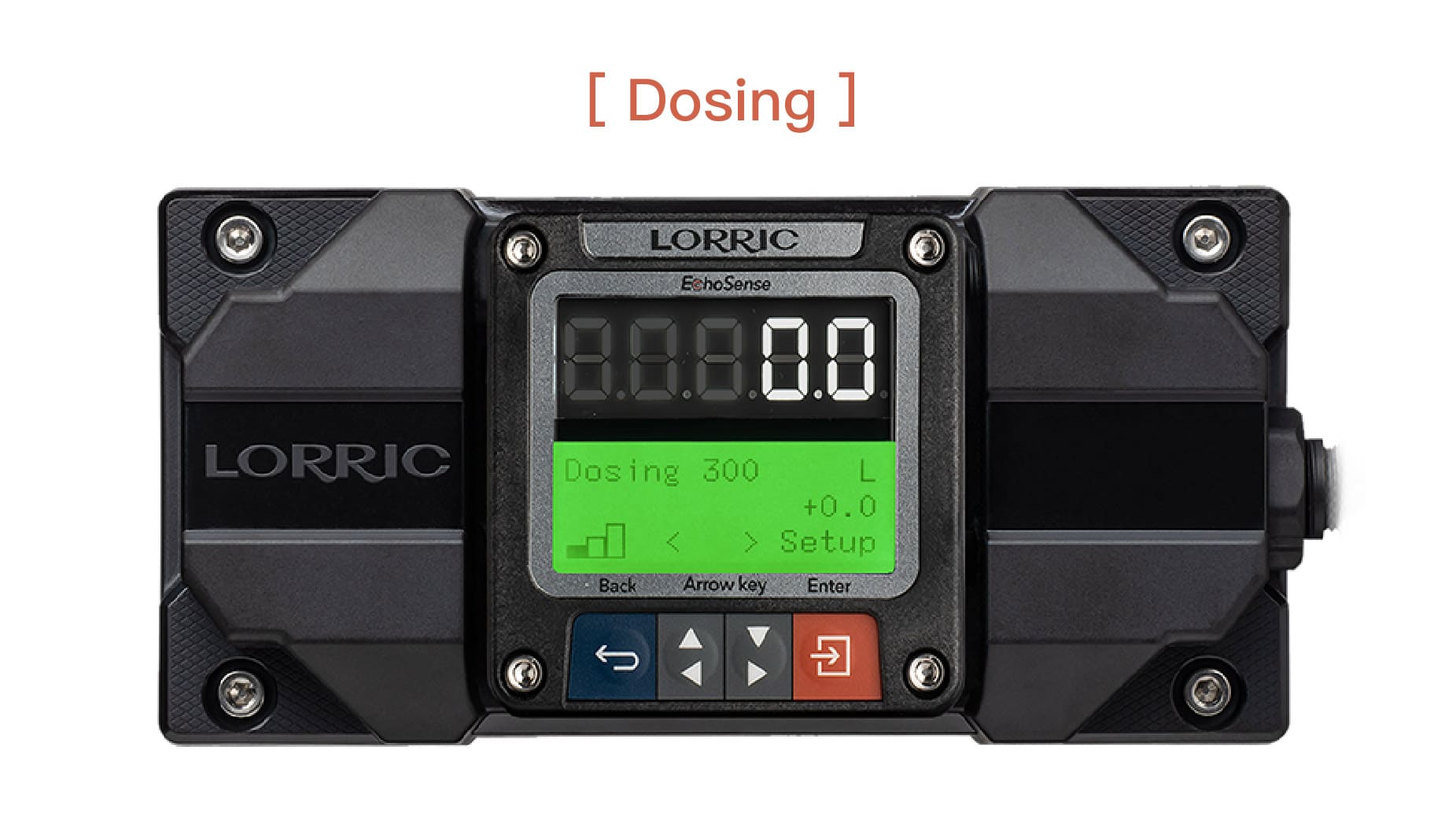
The dosing function controls a valve based on the flow meter’s totalizer. When the accumulated volume reaches the preset target, the valve closes automatically. After the set buffer time, the totalizer resets to zero, preparing for the next dosing cycle.
This function enables dosing control directly through the flow meter without an external PLC, making it suitable for chemical dosing, liquid replenishment, and batching applications.
2. Parameter Configuration Table
E02
OCT Definition
Sets the control output mode
Must be set to Dosing mode
C03
Dosing Mode
Enables the dosing function
Set to On
C04
Dosing Target
Sets the target volume per dosing cycle
Enter as required (unit: L)
C05
Dosing Reset Time
Sets the buffer time after the target is reached before reset
Set based on system response time (unit: s)
H09
Startup Screen
Sets the main display screen
Set to Dosing mode screen
D16
Dosing Alarm
Alarm indication when dosing is completed
Enable as required or set to Do Not Disturb
3. Dosing Operation
After the valve opens, fluid flow begins and the flow meter accumulates volume in real time. When the accumulated volume reaches the dosing target set in C04, the system closes the valve according to the OCT output logic defined in E02, completing the dosing cycle. A “Dosing Complete” alarm is then triggered based on the D16 setting.
The system then enters the reset delay defined in C05. Once the delay time elapses, the totalizer is automatically reset to zero and the system is ready for the next dosing cycle.

Notes
C04 accepts positive values only.
To use the C04 function, also configure C03, C05, E02, and H09 accordingly.
Operation Procedure
Button Functions (Click to Expand)
When the main screen is displayed in green backlight, the four buttons function as follows:
Blue Button (leftmost): Return, exit, or save settings.
Gray Direction Buttons:
Left Gray: Previous Page, decrease value, or select item
Right Gray: Next Page, increase value, or select item
 Orange Button (rightmost): Rightmost button: Enter settings, edit, or confirm selection
C04 Dosing Target Setting Steps
• From the main screen(green backlight),
  press Orange Button(Setup) to enter settings (orange backlight).
• Use Gray Arrow Buttons to select C. Total, press Orange Button(Enter).
• Use Gray Arrow Buttons to select C04 Dosing Target, press Orange Button(Enter).
• Use Gray Arrow Buttons to choose the digit to adjust(highlighted in dark gray).
• Press Orange Button(Edit) to enter adjustment mode.
• Adjust digits: Left Gray Button to increase, Right Gray Button to decrease.
• Press Orange Button(Set) to confirm each digit; repeat for other digits as needed.
• After all digits are set, press Blue Button(Save).
• Confirm by pressing Orange Button(Save) (or Blue Button(NOT) to cancel).
• Press Blue Button(ESC) to return to the main screen(green backlight).
Dosing Operation Mode Screen
C04 Options, RS485 Values, Read/Write Commands, and Formats
Default
1000
-
Minimum
0.1
-
Maximum
999,999,999
-
Refer to the Read/Write Memory List for the Modbus command format. This parameter uses the float 32 data format.
Last updated