Troubleshooting
Common Issues and Self-Troubleshooting
1. Abnormal Measurement Results
2. Installation and Wiring Issues
3. Communication and Data Reading
4. Paddlewheel and Sensor Issues
Advanced Support Procedure
If the issue is not covered in the common troubleshooting section, or the problem persists after following the provided instructions, please prepare the following information and contact the manufacturer for assistance. This will help us diagnose the issue more efficiently.
Support Email: sales@lorric.com
Please provide the following information:
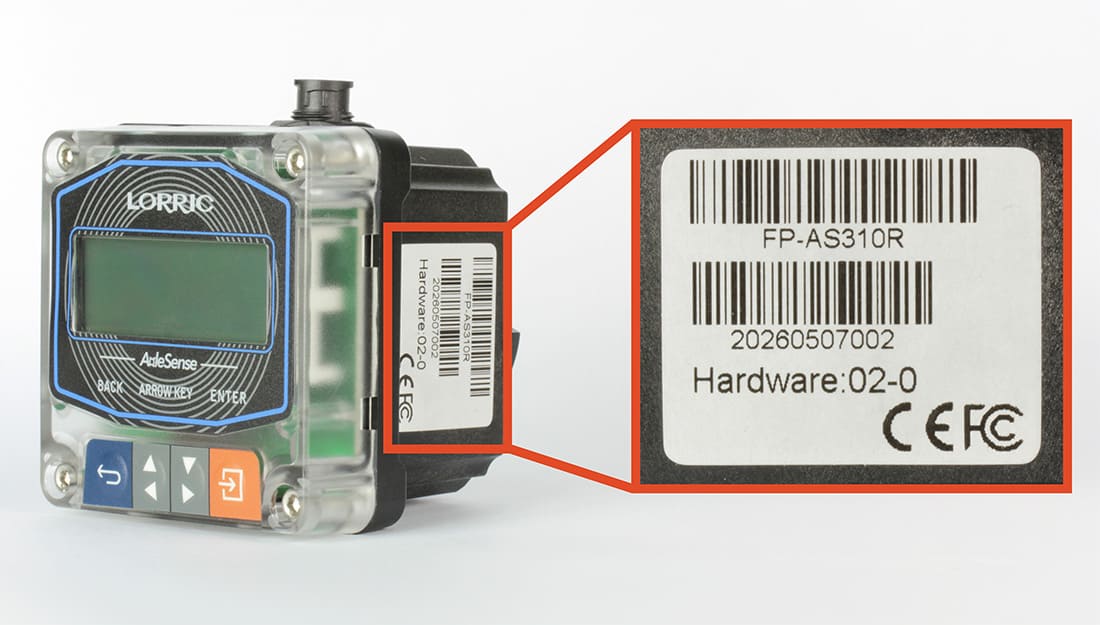
1. Version and device serial number (please attach a photo)
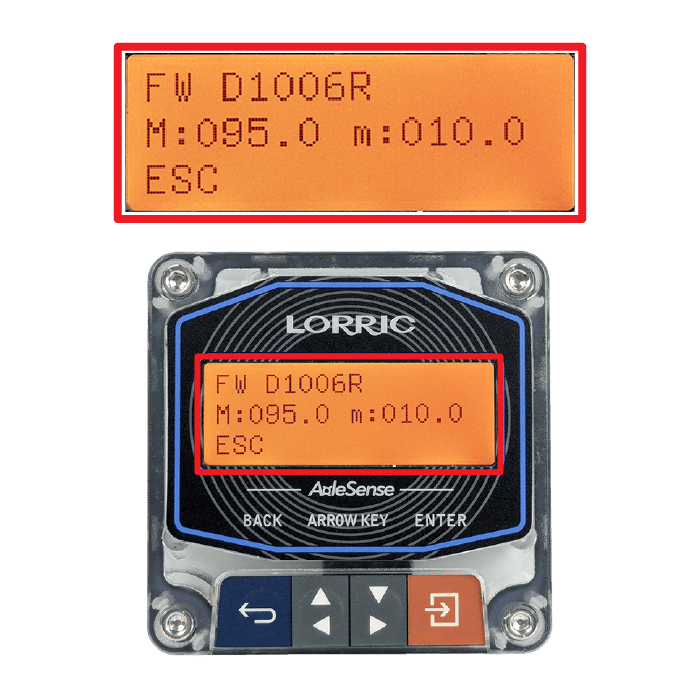
Access parameter H10 – System Info to verify the device model and main unit version.
D1006R: Device firmware version
M (Maximum): The peak (maximum) magnetic field strength currently detected by the sensor.
m (Minimum): The minimum magnetic field strength currently detected by the sensor
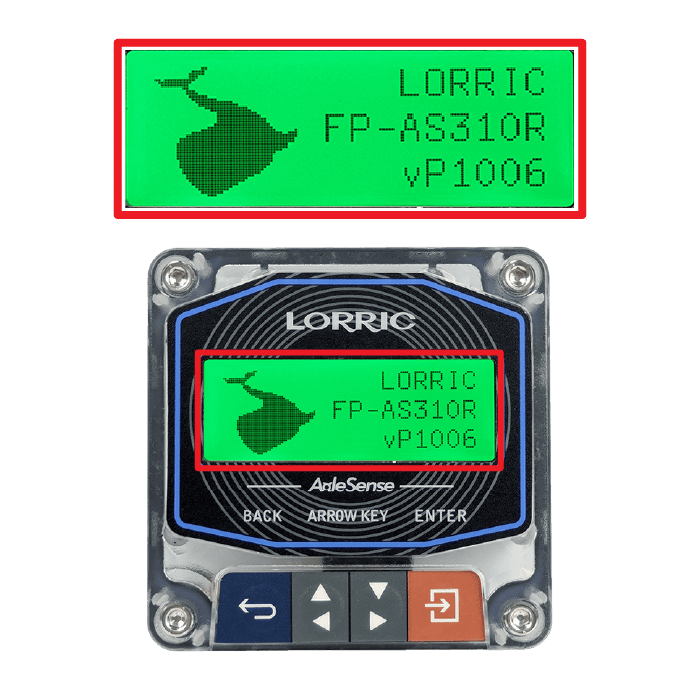
The startup screen is displayed for approximately three seconds after the flowmeter is powered on.
LORRIC: Trademark
FP-AS310R Device model
vP1006 : Device firmware version
A label is affixed to the flowmeter housing.
FP-AS310R: Device model
20260507002 Device serial number
• Hardware 02-0 refers to the product's hardware version.
Note: The label may become unreadable over time. It's recommended to record the serial number upon receipt.


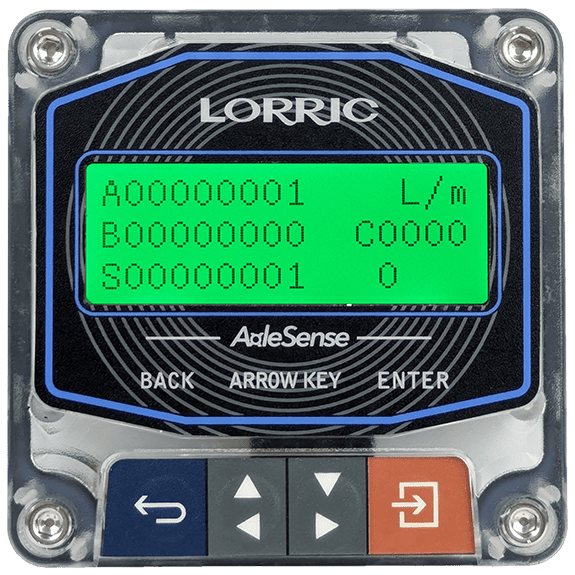
2. Status Page Screenshot (please attach a photo)

Use the arrow keys to navigate the main screen and locate the Status Page.
Issue Description
Occurrence timing: At startup / During operation / After shutdown
Reproducibility: Every time / Intermittent / One-time
Frequency: Daily / Weekly / Random
Operating Environment
Fluid / Medium: Liquid, chemical name
Temperature / Pressure range
Pipe diameter / Installation orientation / Straight pipe conditions
Actions Taken
Refer to the Common Issues & Self-Troubleshooting section on this page.
Last updated